
Fires Automatically
Notify sends the moment an order is bumped from the KDS or closed in the POS. No extra taps for your team, no guest left waiting because someone forgot.
Text, Screen, or Both
Send an SMS, post the order to an Order Status Board, or run both together. Guests without a phone number on file still show up on the board — nobody gets missed.
Built In, Not Bolted On
Messages send through NX's integrated SMS system. No third-party messaging vendor, no separate signage software, no extra login to manage.
SMS Notifications
The Text Sends Itself.
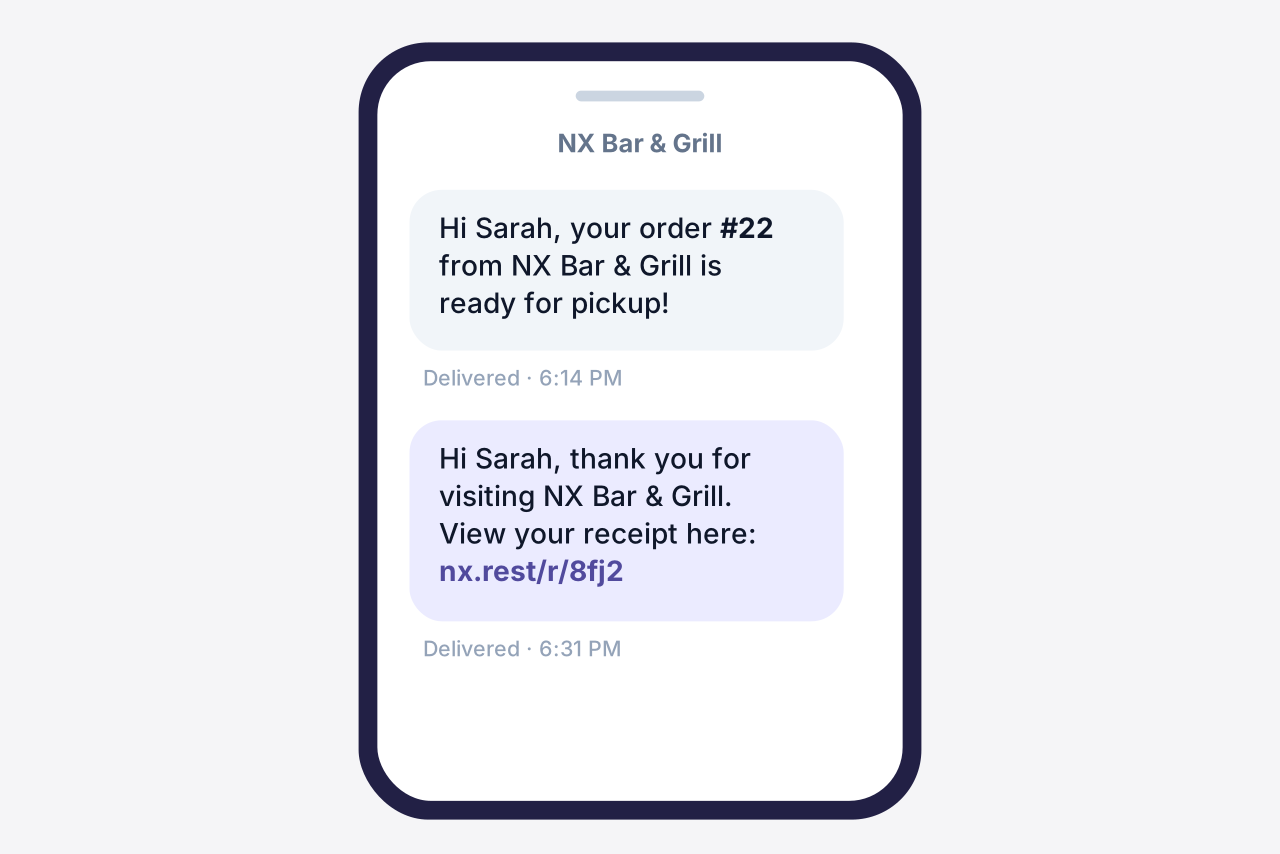
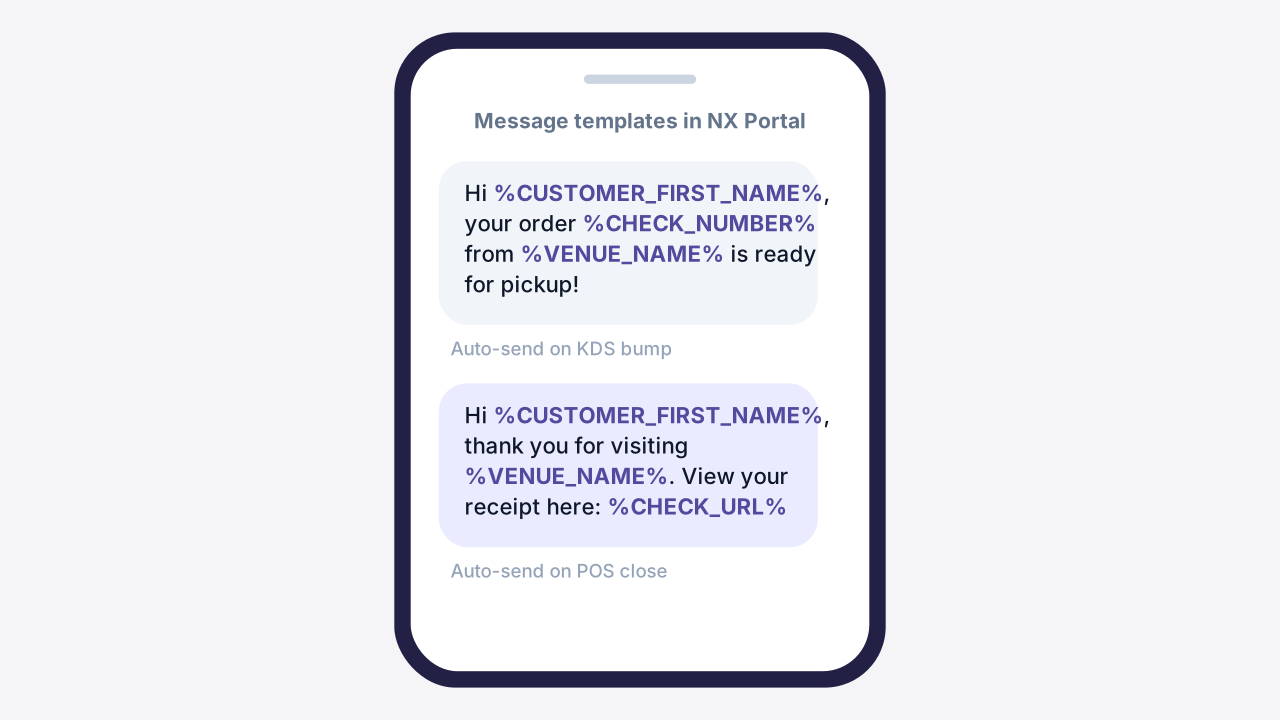
When the kitchen bumps a ticket, the guest gets a text — their name, their order number, and your venue's name already filled in. Build the templates once in NX Portal and every order after that is hands-off. Staff can still send a manual update from the POS anytime.
- Auto-sends on KDS bump or POS close — no extra steps for your team
- Templates personalize each message with guest name, check number, and a digital receipt link
- Sent through NX's built-in SMS — no third-party messaging account to set up
Order Status Board
One Screen. Every Pickup Lane.
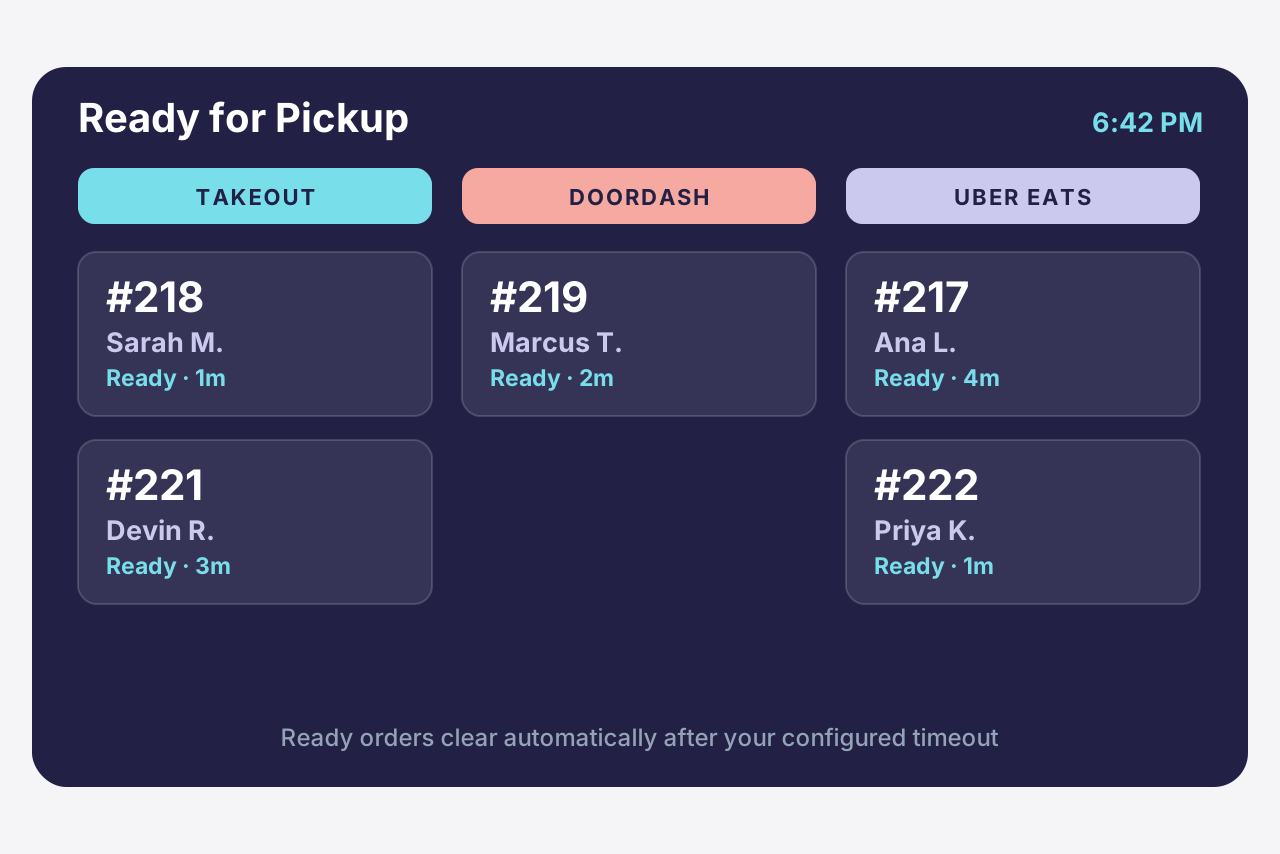
Turn any NX-connected screen into a live status board and let guests watch their own order move from Preparing to Ready. For takeout-heavy service, group the board by delivery brand — DoorDash, Uber Eats, and your own online orders each get a column, so expo hands the right bag to the right driver the first time.
- Filter and group by delivery brand or order type — a column for every pickup queue
- Orders display as Ready the instant the kitchen bumps them, then clear on a timer you set
- Works with or without SMS, so guests with no phone number on file still get notified